NICE MoonKey MOSE – key switch with standard cylinder, surface-mounted
| Product availability: | replaced | The product is no longer manufactured, but fortunately it has been replaced by a newer model. |
|---|


Description of NICE MoonKey MOSE – key switch with standard cylinder, surface-mounted
Key switch NICE MOSE has been discontinued.
Its fully compatible replacement is NICE Era Key Switch EKS.
NICE MOSE is a mechanical key switch in the NICE MoonKey, which allows you to control drives not only from the brand NICE. The key switch is two-position, meaning the key can be turned either to the right or to the left. You can assign a different command to each position. The switch is spring-return, meaning that the spring returns it to its starting position. An aluminum post can be purchased separately for the switch: NICE MOCS.
Technical specifications of the NICE MOSE key switch
| Supplier code | MOSE |
|---|---|
| Lock type | two-position, spring-return lock |
| Cylinder type | standard cylinder |
| Mounting type |
surface-mounted, ideally paired with a mounting plate MOA2 |
| Contacts |
two changeover microswitches; they either close (normally open) or open (normally closed) |
| Contact rating | Maximum 48 V, 2 A |
| Protection rating | IP43 |
| Lighting | No, but provision is made for 12/24 V LED lighting MOSA1 |
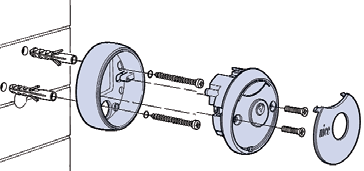
Surface mounting of the NICE MoonKey MOSE key switch
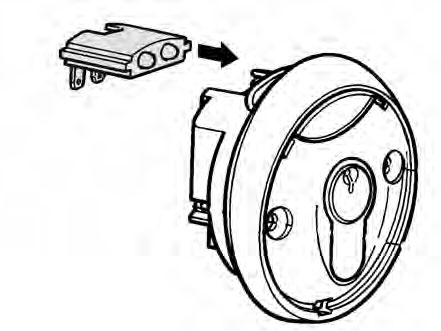
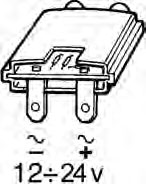
Wiring the NICE MoonKey MOSA1 auxiliary light
Note: The wiring is the same for all key switches; the illustrations show NICE MoonKey MOSEU. The MOSA1 auxiliary LED light is not included and must be ordered separately.
|
|
|
|
|
1. Connect MOSA1 to the key switch |
2. Connect the power supply (normally, the output is available at the control unit terminal block; example output: Robus, Road). |
3. Done—the key switch is illuminated. Here is the MOSEU with mounting plate MOA2 and LED lighting MOSA1. |

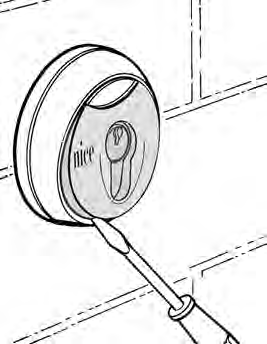
Opening the NICE MoonKey MOSE key switch
| 1. Pry off the drive key switch cover | 2. Unscrew the drive key switch screws | 3. Turn the key in the drive key switch and pull out the front section |
 |
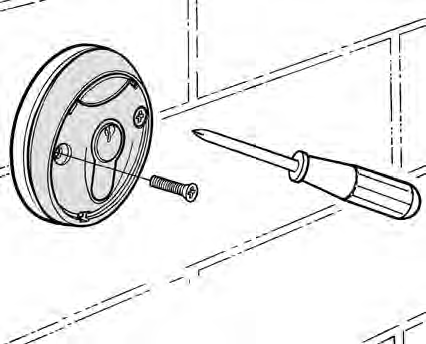 |
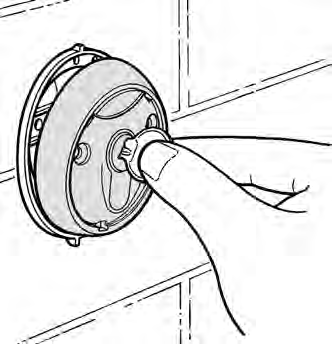 |
Wiring the NICE MOSE key switch
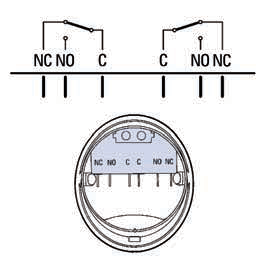
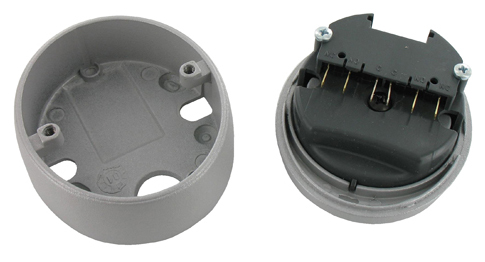
Inside the NICE MoonKey MOSE key switch
Example wiring diagram for the NICE MoonKey MOSE key switch with a NICE Robus drive (RB400, RB600, RB1000) and Run drive (RUN1800P)
Turning the key will:
Left: STOP
Right: Step-by-step
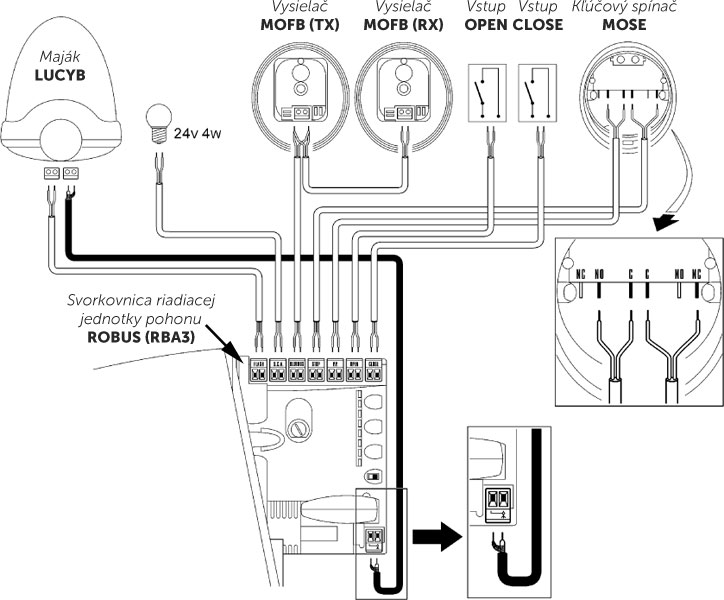
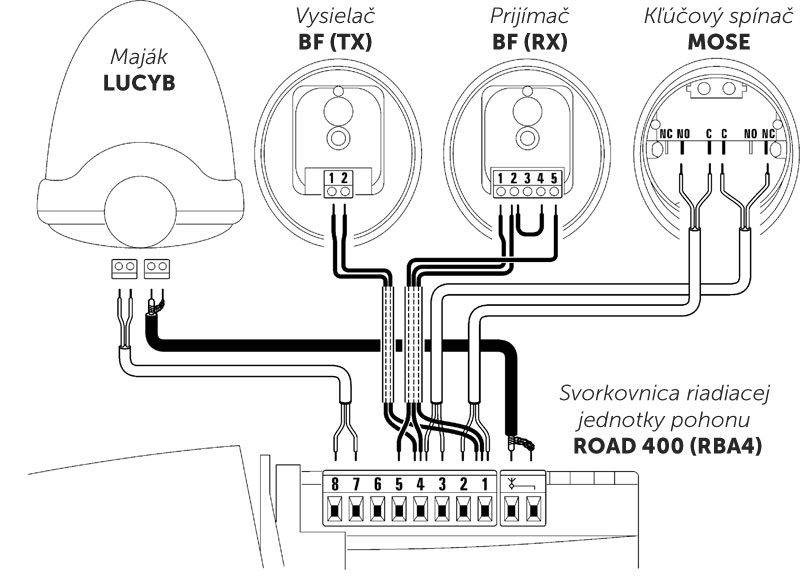
Example wiring diagram for the NICE MoonKey MOSE key switch with a NICE Road drive (RD400)
Turning the key will:
Left: STOP
Right: Step-by-step
Alternative key switches
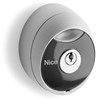
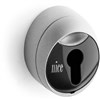
| Mounting/Cylinder | Standard cylinder | Euro-profile cylinder | Without cylinder |
|---|---|---|---|
| Surface mounting |
MOSE (you are here) |
|
|
| Flush mounting |
|
|
does not exist |



Accessories for the NICE MoonKey MOSE key switch
| MOSA1 | MOA2 | MOCA1 | MOCF2 | MOCS |
|---|---|---|---|---|
 |
 |
 |
 |
 |
|
LED lighting for key switch. |
Mounting plate for key switch. |
Extension for MOCF2 post. |
Post with two housings for photocells. A MOCA1 key switch holder can be fitted on top. |
Post for key switch. |
How can I order this item?
Choose the option that suits you:
- order online: use the buy button to add the goods to your shopping cart (you will find the buy button here in the product variants table).
- order by email: place your order at [email protected]

