Controlling additional devices via NICE external receivers
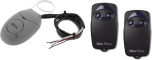
If you want to control using NICE remote controls devices from other brands, you need to connect NICE external receiver (for example NICE SMX2R, NICE OX2 NICE FLOXR, NICE OX4T and so on). External receivers are powered by 12V or 24V and have a RELAY output, which you connect to the terminal block of the drive from another brand.
 |
We've put together a discounted kit for controlling anything consisting of: |
The examples below demonstrate controlling gates, but a NICE external receiver can be used for remote control of any automation system.
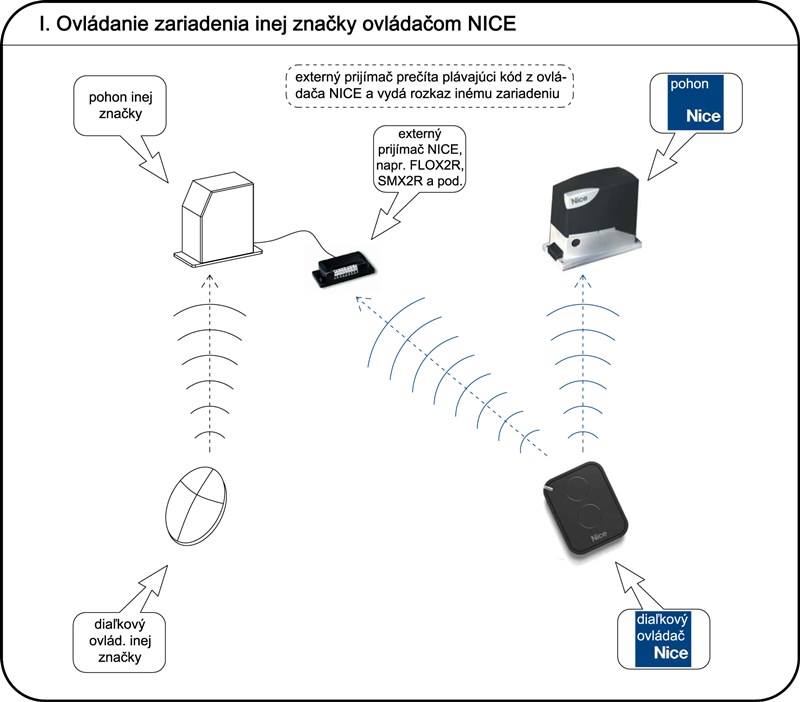
I. Controlling a device from another brand with a NICE remote control
Examples of using NICE external receivers
Example 1 – NICE gate operator on the entrance gate + another operator on the garage door:
I have a NICE operator on my sliding gate and an operator from brand XY on my garage door. I want to control both operators with one remote control. So I connect a NICE external receiver to the operator from brand XY. It receives the radio signal from the NICE remote control, allowing me to control both devices with one two-channel remote control.
Example 2 – using multiple functions:
I may also want to use more than one type of command for a device; for example, I want the option of partially opening my sliding gate. At the same time, I want to use the same remote control to operate another device, such as a garage door. In that case, I use four-channel remote control and connect the external receiver to the garage door operator. I can set it up as follows:
- the first button operates the sliding gate (e.g. open – stop – close)
- the second button opens the gate by one metre (partial opening function)
- I use the third button to operate the garage door
- I leave the fourth button free so I can use it in the future to control another automation system, since my external receiver is two-channel and I can connect it to another device as well.
Example 3 – too many remote controls:
I have 7 automation systems at different properties that I want to control remotely, but I don't want to keep 7 different remote controls in my car. External receivers and a NICE ON9E nine-channel remote control, which lets you control up to 9 automation systems. However, remember that external receivers have two channels. So if you have multiple automation systems, you will need to connect one receiver for each pair.
Example 4 – devices for which you can't get additional remote controls:
I have a device of unknown origin/manufacturer and can't find remote controls for it. If the device has a control unit with wired inputs for an external receiver, the problem is solved.
Example 5 – I want to control something remotely that you might never have thought of:
Yes, sometimes it's surprising what people use a receiver for: remotely operating church bells, a pond sluice gate, a feed dispenser, and so on. The information at the beginning still applies: if the device has the required input, it can be controlled remotely using an external receiver.
Example 6 – I want to remotely control a 230V device:
Use the external receiver NICE OX4T, which has 4 relays, each of which can be set to one of 14 commands.
Where to go next:
- full range of external receivers
- full range of remote controls
- Order: or [email protected]
- Contact technical support for operators
- Instructions for pairing remote controls
II. Controlling NICE devices with another brand's remote control
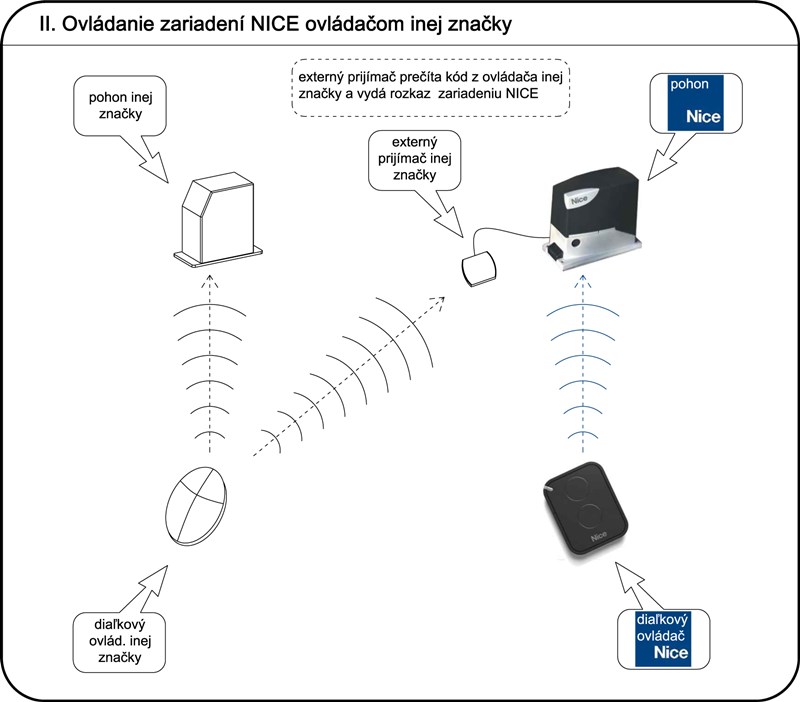
Using the same principle, you can control NICE operators using remote controls from other manufacturers. If you already have remote controls from manufacturer XY, you will also need an external receiver from the same manufacturer. Consider:
a) the price of an external receiver from another manufacturer
b) the price of additional remote controls from another manufacturer, if you buy more in the future
When you weigh the initial costs, it may sometimes be more cost-effective to keep using the remote controls you already have and simply buy an external receiver for them. That's why our range also includes external receivers from other brands:
- CAME external receiver, and others CAME remote controls
- KEY external receiver, and others KEY remote controls
Real-life example:
Hello!
Could you please provide some information?
I have an ON3EBD remote control for a NICE gate operator and would like to use the same remote to open my garage door.
My garage door is an APERTO Baseline. Which type of external module do I need to operate the garage door?
Thank you in advance for your reply.
Answer: the simplest solution is as follows:
- Buy a NICE OX2 external receiver
You can order it at https://fortamigo.ie/na-posuvnu-branu/nice-ox2-2-channel-external-receiver-433-92-mhz - Connect this external receiver to the Aperto Baseline operator
Note: Since the control unit supplies 24V, this jumper should not be inserted in the OX2.
See page 12 of the manual https://fortamigo.ie/uploads/4b1decfa7cf5a6851c08879111e8ffff-aperto-baseline-pdf.pdf, connect the OX2 receiver to the Aperto Baseline drive as follows:- red wire from the OX2 to terminal 9 on the drive
- black wire from the OX2 to terminal 10 on the drive ()
- first white wire from the OX2 to terminal 5 on the drive
- second white wire from the OX2 to terminal 6 on the drive
- Set one button on the ON3EBD remote to unidirectional mode
Follow the instructions at https://fortamigo.ie/switching-the-on3ebd-controller-to-unidirectional-mode-and-back - Save this ON3EBD button to the OX2 receiver
1. Press the button on the OX2 once; the LED next to it will start flashing.
2. Then press and hold the button on the remote (the one you switched) until the LED flashes three times differently (approx. 3–5 seconds).
3. Wait for it to finish flashing, and you're done. - Give it a try :)

