NICE FloR FLO4R-S – four-channel remote control for NICE operators
TOP| Product availability: | In stock | We normally dispatch goods within 24 hours. |
|---|


in stock
€27.13 including VAT
| Weight |
|---|
| 34,00 g |
Description of NICE FloR FLO4R-S – four-channel remote control for NICE operators
Four-channel (what does that mean?) controller compatible with all NICE drives using the FloR-type rolling code FloR (the 52-bit code allows 4.5 trillion combinations, making it practically impossible to misuse) and an LED indicator for the transmitted signal. With this remote control, you can control up to four NICE devices, or, with the receiver NICE Flox FLOX2R also control a device from another brand.
Please note, this is not the NICE Flo FLO4, even though it looks exactly the same. The NICE FloR FLO4R-S is paired with the drive using a rolling code; the NICE Flo FLO4 is paired with the drive using a set of 10 switches inside the remote control. See this product's photo gallery NICE FloR FLO4R-S:
| NICE FLO4R-S front | NICE FLO4R-S back |
|---|---|
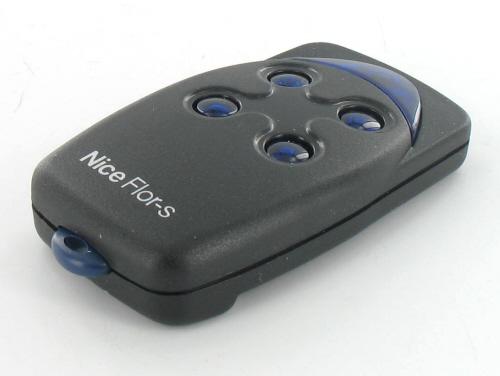 |
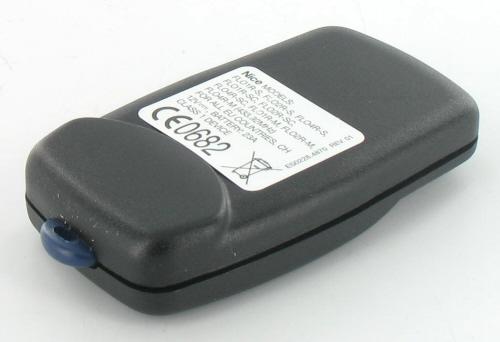 |
| NICE FLO4R-S inside | NICE FLO4R-S box |
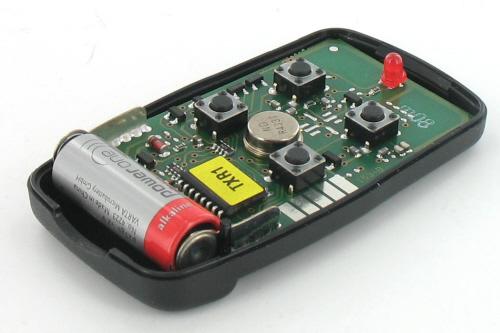 |
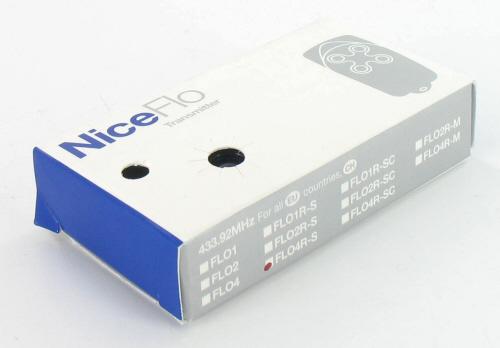 |
What's included NICE FloR FLO4R-S
- remote control
- 23A battery
- manual
Remote control specifications NICE FloR FLO4R-S
| Frequency: | 433,92 MHz (±100KHz) |
|---|---|
| Number of channels: | 4 buttons |
| Power supply: | 12V DC; 23A battery |
| Battery life: | approximately 1 year at 10 uses per day |
| Remote control range: |
100–200 m outdoors |
| Signal encoding: | FloR (52-bit rolling code) |
| Operating temperature: | -20°C to 55°C |
| Dimensions: | 73×40×15 mm (W×D×H) |
| Weight: | 14g |
How to pair the NICE FloR FLO4R-S remote control with the drive NICE
The NICE remote control programming guide explains how to pair a remote using the standard procedure, as well as how to set it up in Mode II, which lets you configure one remote to operate multiple NICE devices.
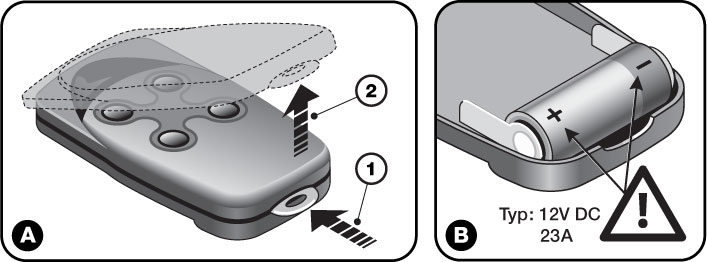
Replacing the remote control battery NICE FloR FLO4R-S
How can I order this item?
Choose the option that suits you:
- order online: use the buy button to add the goods to your shopping cart (you will find the buy button here in the product variants table).
- order by email: place your order at [email protected]

