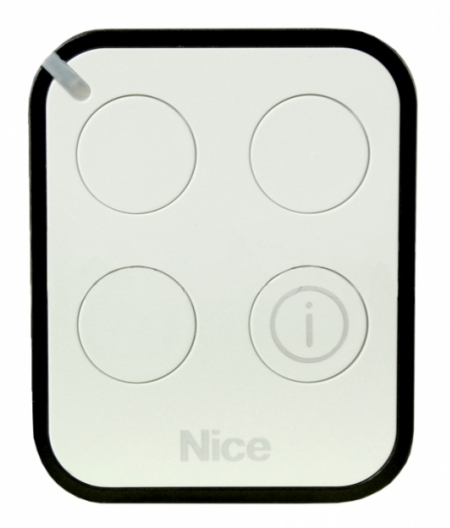
NICE Era One BD ON3EBD – three-channel remote control, bidirectional
| Product availability: | In stock | We normally dispatch goods within 24 hours. |
|---|

in stock
€22.52 including VAT
| Weight |
|---|
| 50,00 g |
Description of NICE Era One BD ON3EBD – three-channel remote control, bidirectional
Three-channel (what does that mean?) a remote control compatible with all NICE drives featuring a rolling code type O-Code (the 192-bit code allows quadrillions of combinations, making it practically impossible to misuse) and an LED indicator for the transmitted signal. With this remote control, you can control three NICE devices, or use a NICE OXIBD receiver to control a device from another brand.
The transmitter is bidirectional, which in practice means that thanks to two-way communication with the receiver, it can determine the current status of the gate (closed, partially open, open). The status is then indicated on the remote control itself: the LED lights green when the gate is open, orange when it is partially open, and red when it is closed.
A low battery or any communication or automation errors are indicated by the entire remote control vibrating. The remote control is compatible with the receiver NICE OXIBD.
Product contents NICE Era One ON3EBD
- remote control
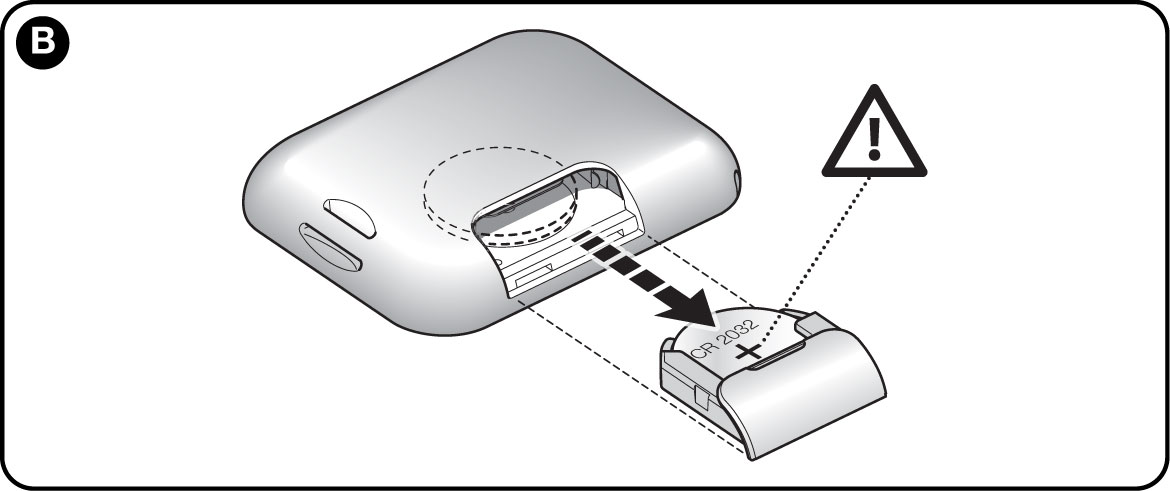
- CR2032 lithium battery
- keychain lanyard
- manual for the NICE Era One ON3E remote control
Optional accessories available to purchase adhesive mount for a wall, car dashboard, etc.
Remote control technical specifications NICE Era One ON3EBD
| Frequency: | 433,92 MHz (±100KHz) |
|---|---|
| Number of channels: | 3 buttons |
| Power supply: | 3V DC; CR2032 lithium battery |
| Battery life: | approximately 2 years at 10 uses per day |
| Remote control range: |
approx. 200 m outdoors |
| Signal coding: | O-Code (192-bit rolling code), compatible with FloR |
| Transmitted signal: | 1mW ERP |
| Operating temperature: | -5°C to 55°C |
| Protection rating: | IP40 |
| Dimensions: | 45×56×11 mm (W×D×H) |
| Weight: | 18g |
How to pair the remote control NICE Era One ON3EBD with a NICE
How to reprogram the ON3EBD remote control to unidirectional mode
This takes two steps: first reprogram the remote control, then store it in the receiver's memory again as a standard unidirectional transmitter.
1) Reprogramming the ON3EBD remote control
For each of the first, second, and third buttons on the remote control, perform the procedure for switching to unidirectional operation:
- On the ON3EBD remote control, press the "i" button three times
- Press and hold the button you want to switch until the LED lights up red
- Done
2) Storing the transmitter in the receiver's memory
You can then store the reprogrammed transmitter in the receiver's memory using the standard procedure in Mode I or Mode II.
I erased the receiver and can't pair my remote controls
After erasing the receiver, you also need to reset the remote controls (ON3EBD) by following the procedure for resetting the NICE ON3EBD remote control:
- Remove the battery
- Press and hold the first button while reinserting the battery
- Continue holding the first button. The remote will flash red a few times; when the LED stays lit red, release the button and, within three seconds, press it once again without holding it down.
Typical situation with an ON3EBD transmitter in an environment with a high level of radio signal interference
If you experience any issues with the remote control in bidirectional mode (battery draining quickly, short range, etc.), interference in the environment may be the cause. Read more in Typical situation with an ON3EBD transmitter in an environment with a high level of radio signal interference.
Pairing the ON3EBD remote control with an older receiver model
All three buttons on the remote control are factory-set to bidirectional "BD" mode. To store the remote control in older receiver models that do not support "O-Code" or "BD" coding, you need to switch the relevant button on the remote control to unidirectional mode. Follow these steps:
- On the ON3EBD remote control, press the "i" button three times
- Press and hold the button you want to switch until the LED lights up red.
- Done
You can then pair that button with older receiver models just like any standard remote control. If needed, you can switch the button back using the same procedure; the only difference is that the LED will light up green in step 2.
Replacing the remote control battery NICE Era One ON3EBD
How can I order this item?
Choose the option that suits you:
- order online: use the buy button to add the goods to your shopping cart (you will find the buy button here in the product variants table).
- order by email: place your order at [email protected]

