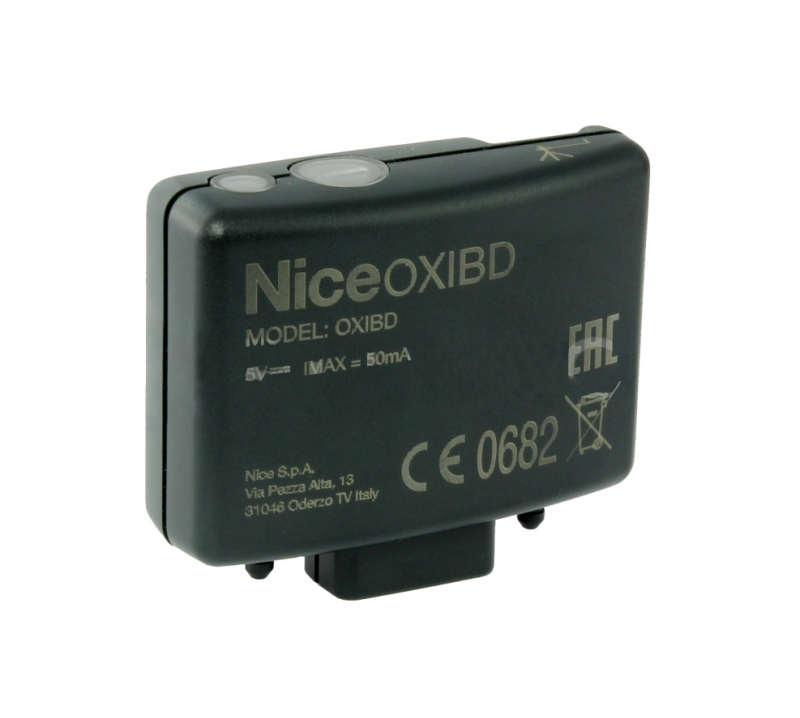
NICE OXIBD – internal radio receiver, bidirectional
| Product availability: | In stock | We normally dispatch goods within 24 hours. |
|---|
in stock
€52.39 including VAT
| Weight |
|---|
| 50,00 g |
Description of NICE OXIBD – internal radio receiver, bidirectional
NICE OXIBD is a plug-in, four-channel receiver with a rolling code for 1,024 standard or 750 bidirectional transmitters. It is used in the control units of Wingo, Robus, etc.
Compatible with the remote control NICE ON3EBD. The receiver operates at a frequency of 433.92 MHz.
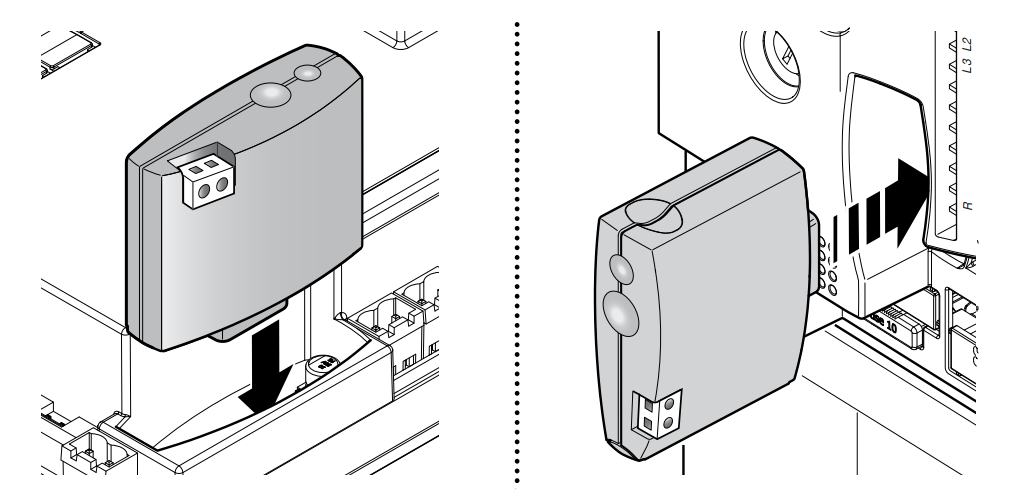
Plug-in connection of the receiver to the control unit
Technical specifications of the NICE OXIBD receiver
| Frequency: | MHz | 433,92 |
|---|---|---|
| Number of channels: | 4 | |
| Operating temperature: | (°C) | -20 to +55 |
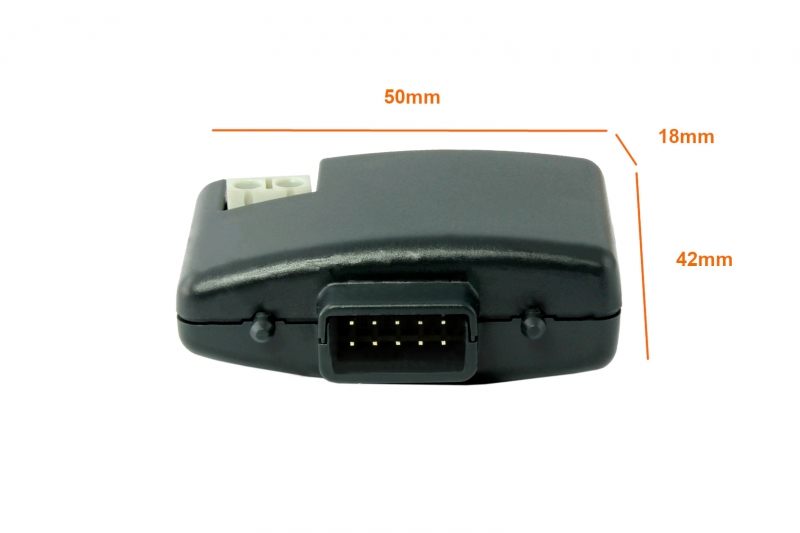
| Dimensions: | mm | 50x42x18 |
| Weight: | g | 22 |
| Power supply: | 5V DC |
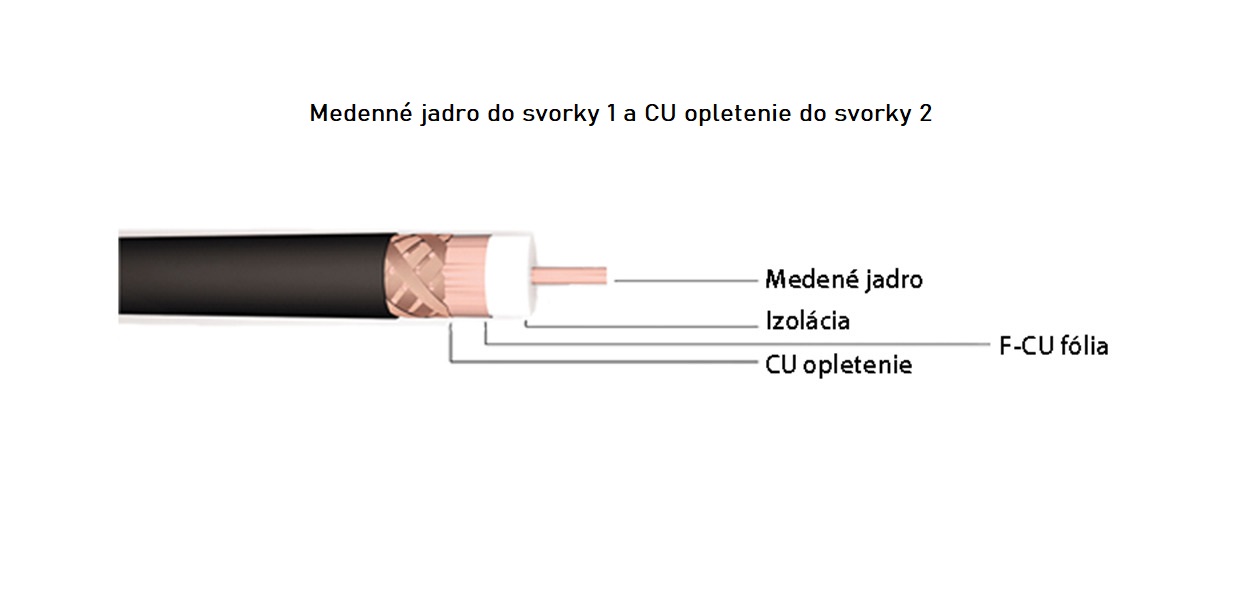
Connecting an antenna to the OXIBD receiver
Please use a coaxial cable and connect it to the receiver as follows:
Locking/unlocking the memory for copying remote controls
- Disconnect the receiver from the power supply and wait 5 seconds.
- Press and hold the button on the receiver, then restore the power supply.
- The LED will first flash a sequence depending on the type of coding used by the stored remote controls, then flash orange twice—exactly during the second orange flash, release the button.
- Within 5 seconds, press the button repeatedly to set the LED color:
- off – memory unlocked for copying remote controls
- red – copying remote controls within range is blocked
- green – copying remote controls by lending a code is blocked
- orange – all copying of remote controls is blocked
- Within 5 seconds, press any button on an already paired remote control to save the setting.
NICE OXIBD receiver settings:
The most commonly used command is step-by-step operation where one button on the remote sends the commands in sequence: open – stop – close – stop – open, and so on in a loop. You will use this command in 90% of situations. If you pair the remote in Mode I, its first button will operate using the step-by-step operation.
Another popular option is to pair the remote for the OPEN command only, so pressing the button opens the gate. Pressing the button repeatedly will cycle through the commands open – stop – open – stop, and so on. This also activates the automatic closing function (the time before automatic closing can be selected). This setting is suitable for apartment buildings or other sites with a high volume of users.
ADVANCED OXI RECEIVER COMMAND FUNCTIONS:
All commands that can be configured on the OXIBD are listed in the table below. Function details may vary depending on the specific control unit and on whether the device is a sliding-gate operator, a barrier, or another type of equipment.
| Command no. | Name | Description |
|---|---|---|
| 1 | Step-by-step operation | Repeatedly pressing the button cycles the gate through its operating sequence |
| 2 | Partial opening I | Partially opens the gate, depending on the control unit |
| 3 | Open only | The gate can be stopped by pressing the button again |
| 4 | Close only | The gate can be stopped by pressing the button again |
| 5 | Stop movement | Stops any gate movement |
| 6 | Condominium step-by-step operation | After an opening command, subsequent commands are ignored until the gate is fully open |
| 7 | Priority step-by-step operation | The operator accepts the command even when blocked |
| 8 | Partial opening II | Depends on the control unit |
| 9 | Partial opening III | Depends on the control unit |
| 10 | Open and lock out the automation | Opens the gate; the operator will then accept only commands 7 and 13 |
| 11 | Close and lock out the automation | Closes the gate; the operator will then accept only commands 7 and 13 |
| 12 | Lock out the automation | Stops the gate; the operator will then accept only commands 7 and 13 |
| 13 | Unlock the automation | Unlocks the automation locked by commands 10, 11, or 12 and resumes normal operation |
| 14 | Switch on the lighting timer | The lights switch on and turn off after the programmed time |
| 15 | Lighting ON-OFF | The lights are switched on and off by repeatedly pressing the remote control button |
Examples of using the advanced commands:
1. I use a Robus operator with the automatic closing function enabled. But when a delivery arrives, I want the gate to stay open. I pair commands 10 and 13 to one of my remote controls, allowing me to lock out the operator for as long as needed. During this time, the operator will not respond to commands from any other control device (other remote controls, a GSM module, etc.), and automatic closing will also be disabled. When finished, I unlock the automation using command 13 on the remote control.
2. We use an operator on an entrance gate, and there are several users. As the administrator, I want the entrance to be unavailable at certain times (e.g. at weekends). I pair commands 11 and 13 to one of my remote controls. If I close the gate using this remote control (command 11), the gate will close and the operator will stop responding to all other control devices. When I open it using command 13, all other control devices will work again.
These functions can also be used in other ways to suit your specific situation.
How can I order this item?
Choose the option that suits you:
- order online: use the buy button to add the goods to your shopping cart (you will find the buy button here in the product variants table).
- order by email: place your order at [email protected]

