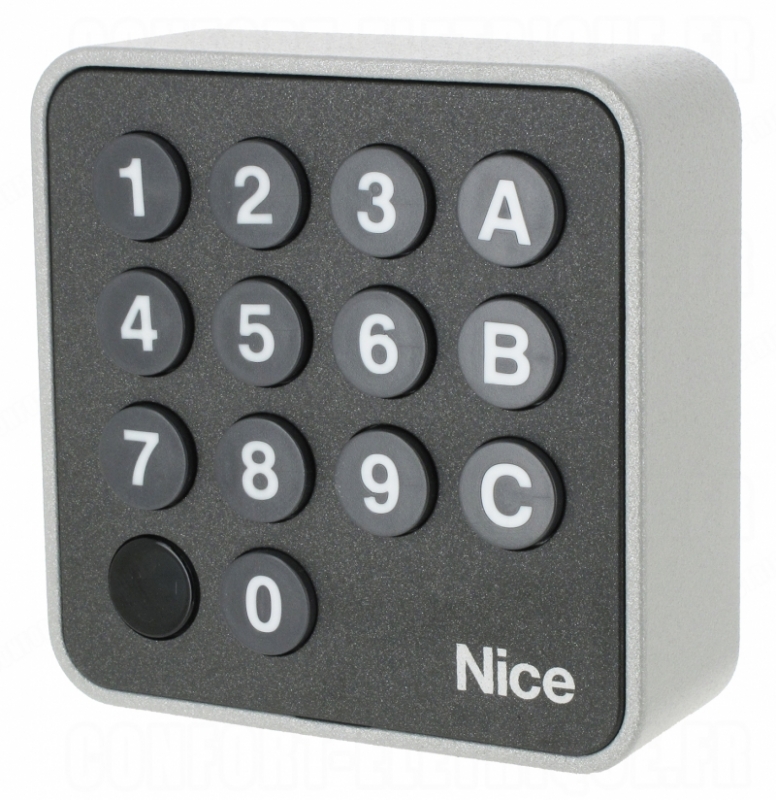
NICE EDSWG - three-channel wireless digital keypad
| Product availability: | In stock | We normally dispatch goods within 24 hours. |
|---|
in stock
€103.42 including VAT
| Weight |
|---|
| 0,30 kg |
Description of NICE EDSWG - three-channel wireless digital keypad
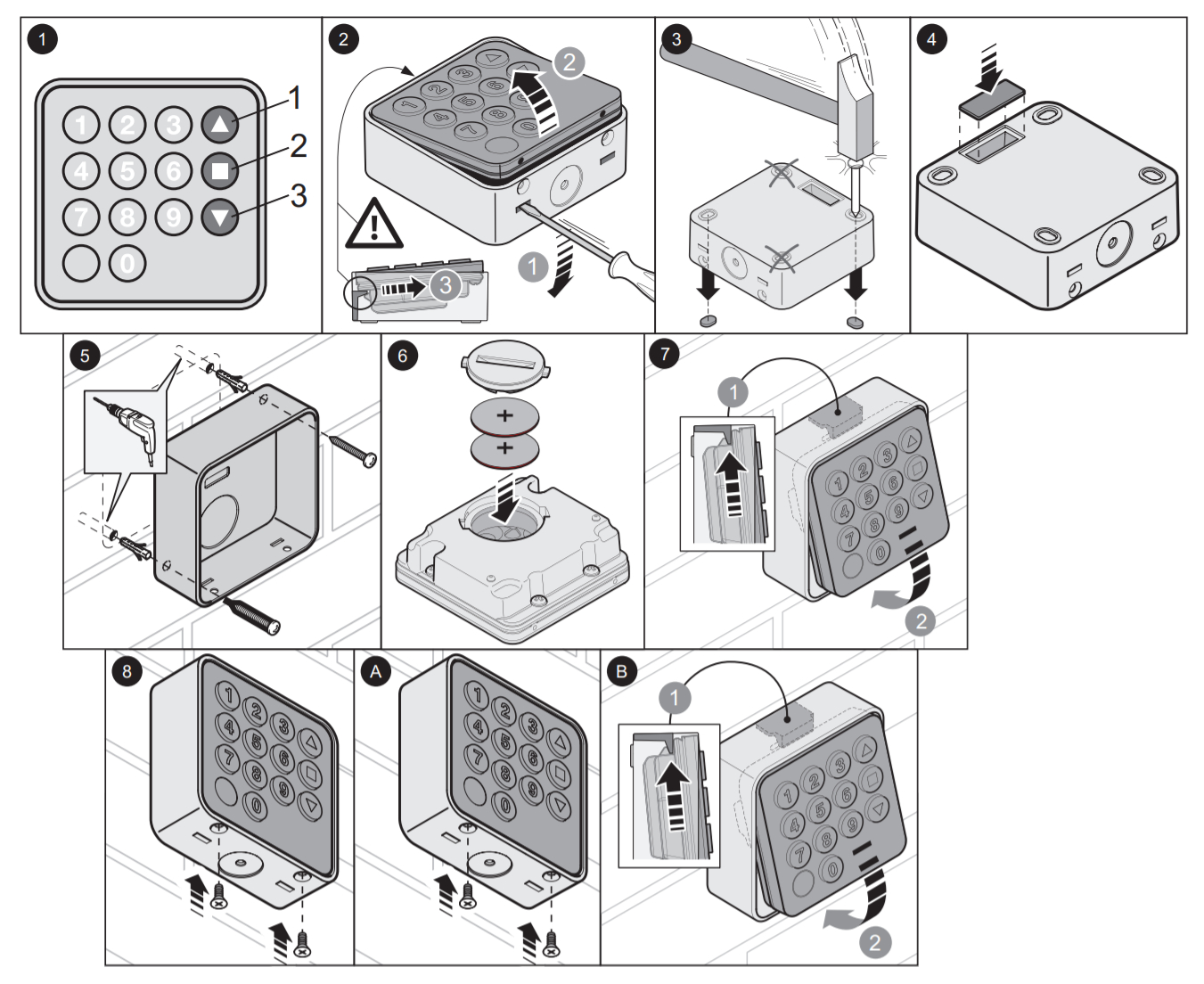
Wireless digital keypad NICE EDSWG family NICE is a three-channel remote control for controlling operators and automation systems by NICE with 433.92 MHz rolling-code technology. To execute a command entered on the keypad, you must first enter the correct security code. The keypad is suitable for indoor, as well as outdoor use. It is powered by a CR 2032. With 10 uses per day, the battery lasts approximately two years.
It works on the same principle as remote control, so it can be placed anywhere within the signal reception range of the operator. It is also possible to install multiple keypads to one operator.
Using the keypad
The keypad works just like a remote control, except that you must enter a numeric code first. The keypad has three buttons (channels), so you can control three operators with it, or assign two types of commands to one operator.
| Command 1 | Command 2 | Command 3 |
|---|---|---|
|
Enter the code and press button A |
Enter the code and press button B |
Enter the code and press button C |
The command will be executed (sent to the operator) only if you enter the correct code. The code must be entered exactly; for example, 0422 is not the same as 422. There must be no more than 6 seconds between key presses.
Programming the keypad into the receiver's memory
| Programming into memory in Mode I. | Programming into memory in Mode II. | ||||||||||
|---|---|---|---|---|---|---|---|---|---|---|---|
|
Programming the keypad into memory in Mode II is done in two steps: 1. Select the command
2. Programming the keypad Procedure:
|
Changing the code on the NICE EDSWG digital keypad
| For command 1, button A | For command 2, button B | For command 3, button C |
|---|---|---|
Changing the code for command 1 (example):
|
Changing the code for command 2 (example):
|
Changing the code for command 3 (example):
|
If you do not enter a code, you can operate the device simply by pressing button A, B or C. Important: Make a note of the new code. If you lose or forget it, the keypad can only be reset at the NICE factory in Italy for a service fee.
NICE EDSWG keypad technical specifications
| Frequency: | 433.92 MHz (±100 kHz) |
|---|---|
| Number of channels: | 3 buttons |
| Number of digits in the code: | 0–9 digits |
| Power supply: | CR 2032 |
| Battery life: | approximately 2 years at 10 uses per day |
| Signal encoding: | rolling code |
| Operating temperature: | -20°C to 55°C |
| Protection rating: | IP54 |
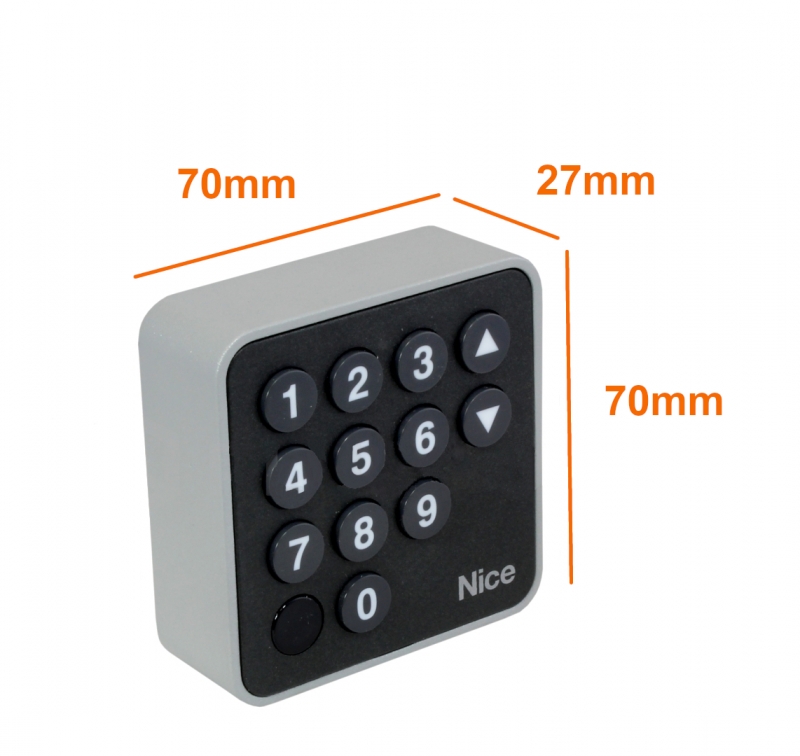
| Dimensions: | 70×27×70 mm (W×D×H) |
| Weight: | 95 g |
Manuals and documents for download
How can I order this item?
Choose the option that suits you:
- order online: use the buy button to add the goods to your shopping cart (you will find the buy button here in the product variants table).
- order by email: place your order at [email protected]