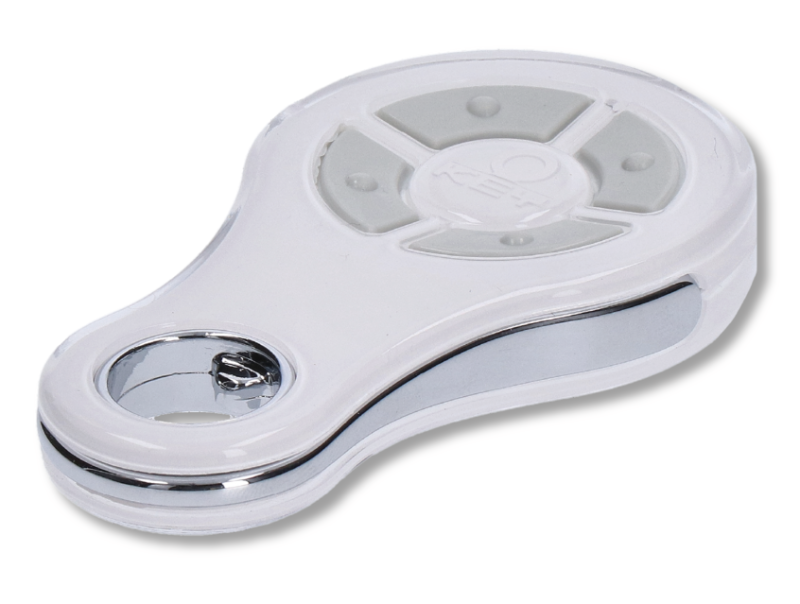
KEY Sub SUB-44 - four-channel remote control for KEY drives with a fixed code
| Product availability: | replaced | The product is no longer manufactured, but fortunately it has been replaced by a newer model. |
|---|
| Available variant types for this product KEY Sub SUB-44<br />- four-channel remote control for KEY drives with a fixed code | ||
| Pendant color: |
Pendant color |
|
|---|---|---|
|
Blue
Orange
Pink
Red
Green
|
||
Description of KEY Sub SUB-44 - four-channel remote control for KEY drives with a fixed code
Remote control KEY Sub SUB-44 is no longer manufactured and has been replaced.
Its full successor is KEY Sub SUB-44N
Four-channel (i.e. four-button) remote control from the Sub family, compatible with all KEY drives with a fixed code of type FIX and a red LED indicator for the transmitted signal. With this remote control, you can control four KEY devices, or use the receiver KEY RXM23 to control a device from another brand.
Warning: the LED on the KEY Sub SUB-44 lights up red, which means the remote control supports the FIX fixed code. If your remote control lights up blue, it is the remote control KEY Sub SUB-44R, which supports rolling code. Alternatively, if the LED lights up green, it is a copying remote control KEY Sub SUB-44N. We can supply KEY SUB-44N remote controls on request. Contact us.
What’s included KEY Sub SUB-44
- remote control with red LED
- CR2032 lithium battery (replacement)
- Manual for the KEY Sub SUB-44 remote control KEY Sub SUB-44
Technical specifications of the remote control KEY Sub SUB-44
| Frequency: | 433.92 MHz |
|---|---|
| Number of channels: | 4 buttons, blue LED |
| Power supply: | 3V DC; CR2032 lithium battery |
| Remote control range: |
approx. 100 m outdoors |
| Signal coding: | FIX |
| Current consumption: | 8mA |
| Operating temperature: | -10°C to 55°C |
| Ingress protection rating: | IP67 |
| Dimensions: | 72×42×11 mm (W×D×H) |
| Weight: | 20g |
How to pair the KEY Sub SUB-44 remote control with a KEY
Refer to the manual for the receiver you want to pair the remote control with. To pair the remote control with an external KEY RXM23 receiver, see instructions for adding a remote control to the receiver’s memory and deleting it.
Photo gallery of the KEY Sub SUB-44
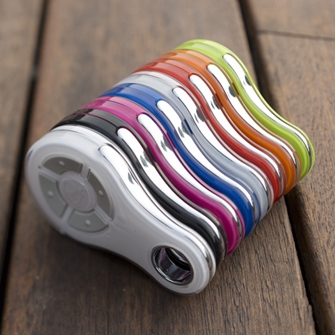
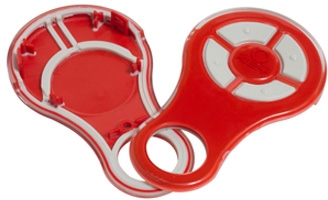
KEY SUB-44 remote controls can be supplied on request with coloured covers in various colours, or you can order the replacement covers separately, which you can order right here.
| Colour options for KEY Sub remote controls | The remote controls have replaceable covers |
|---|---|
 |
 |
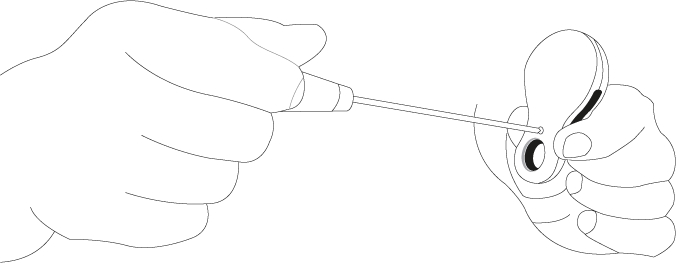
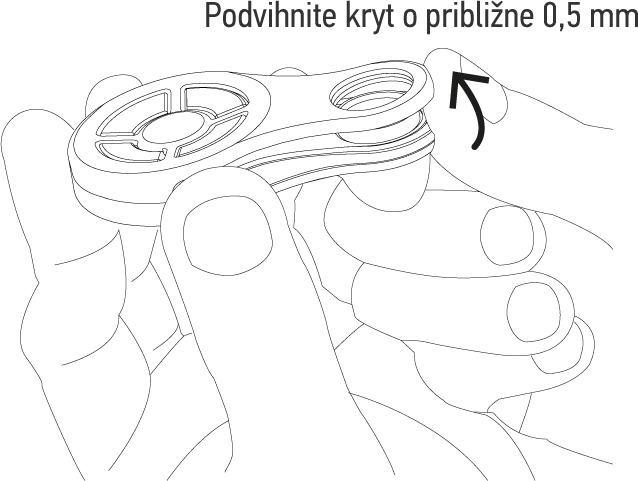
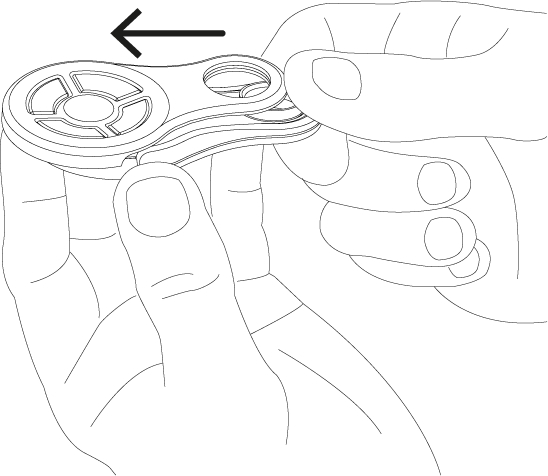
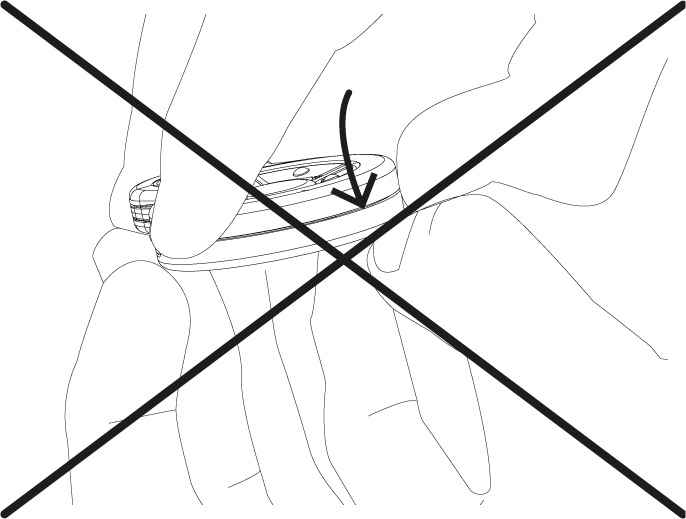
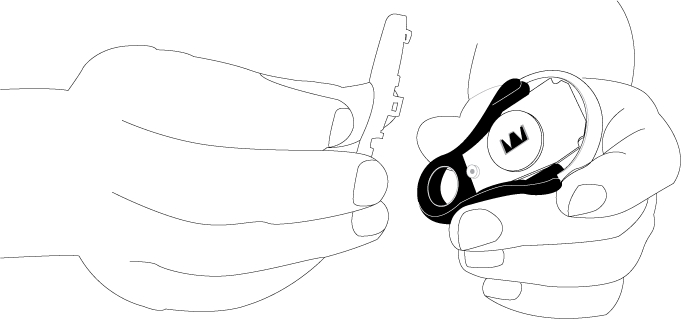
Replacing the battery in the KEY Sub SUB-44 remote control
| 1. Unscrew the screw on the back | 2. Lift the bottom of the cover by approximately 0.5mm |
|---|---|
 |
 |
| 3. Gently push the cover upwards | 4. Do not press on the top of the cover |
 |
 |
| 5. Separate the two parts of the cover | 6. Replace the battery on the circuit board |
 |
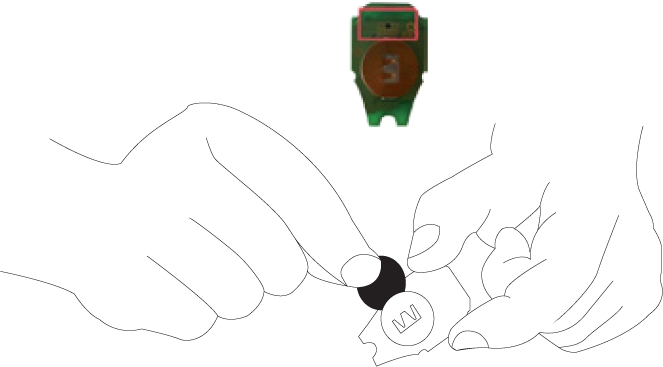 |
| 7. Fit the bottom part of the cover and join the two parts together | 8. Do not start joining at the top; start at the bottom |
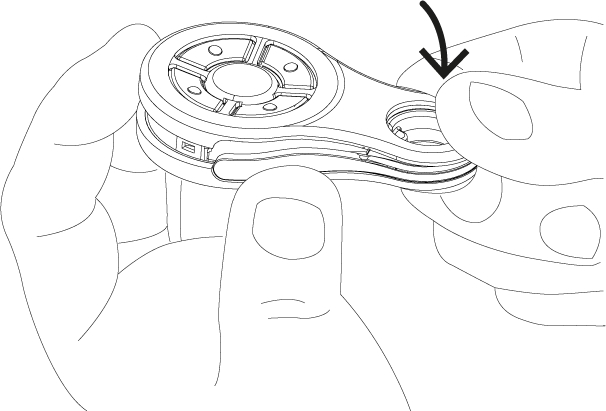 |
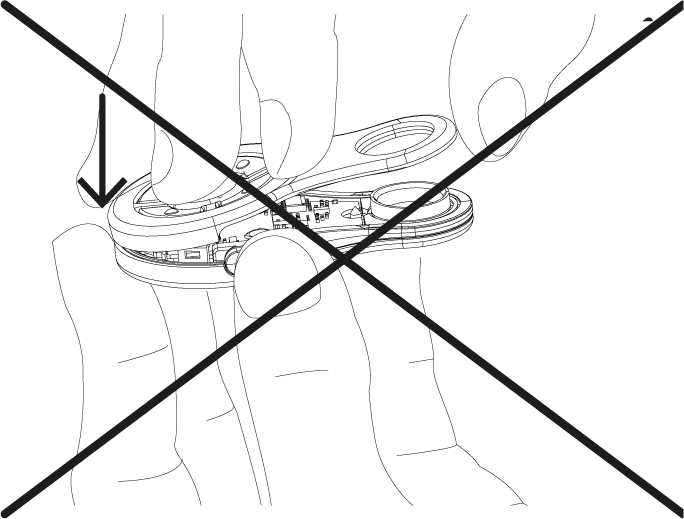 |
| 9. Snap the top parts of the covers together | 10. Screw in the screw on the back |
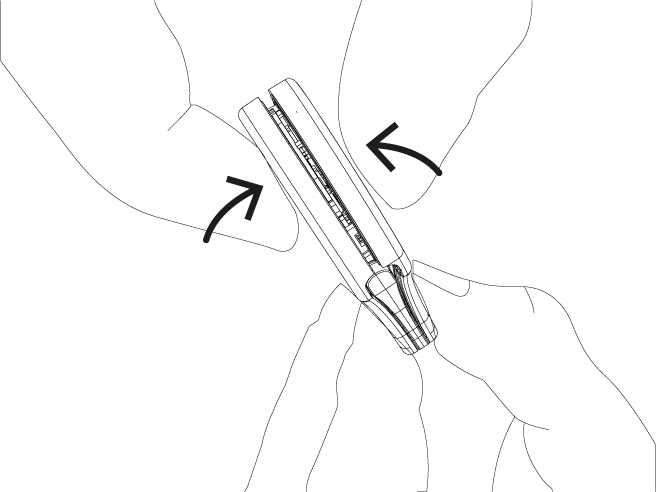 |
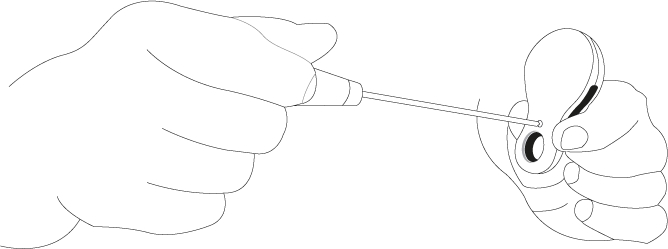 |
How can I order this item?
Choose the option that suits you:
- order online: use the buy button to add the goods to your shopping cart (you will find the buy button here in the product variants table).
- order by email: place your order at [email protected]

